 TECH GUIDESConvert XLS to XLSX Online Free — Upgrade Old Excel Files in SecondsFlipFileZone · Read Fullopen_in_new
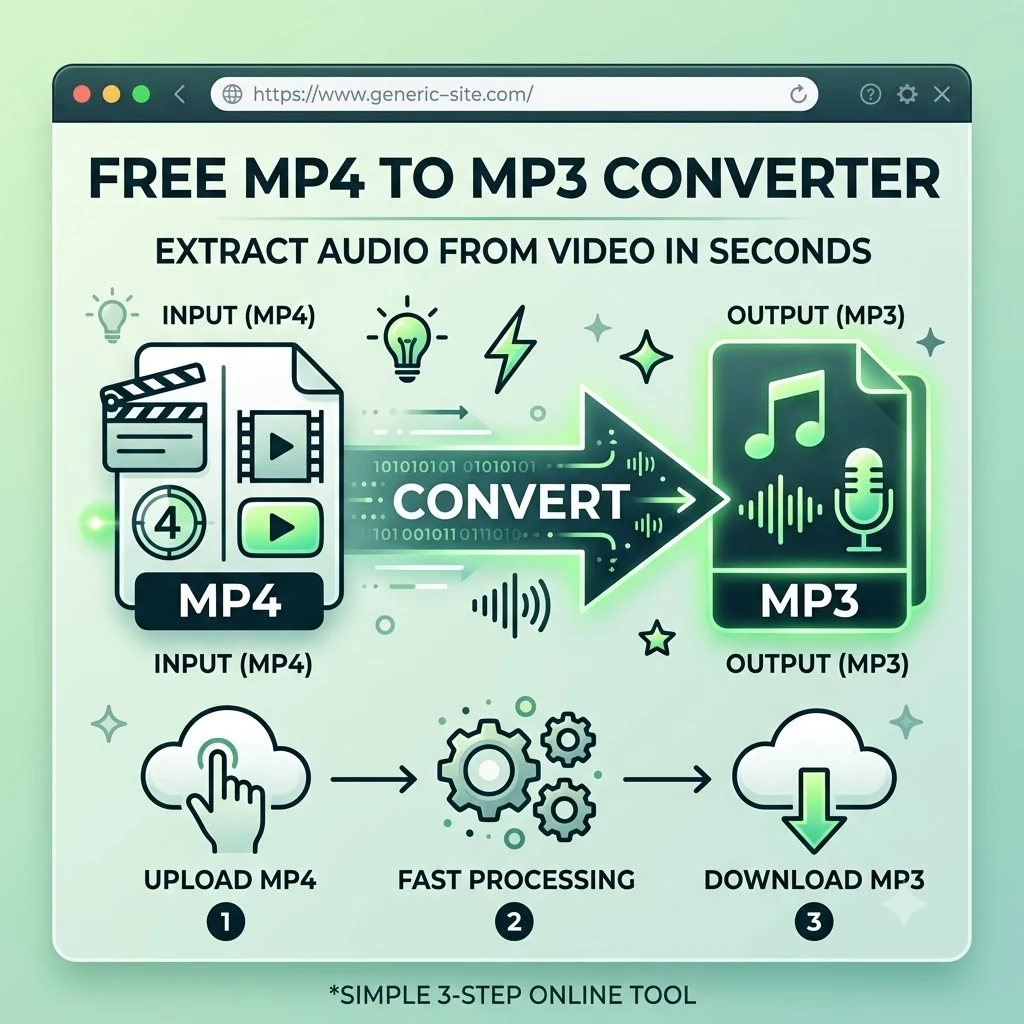
Convert MP4 to MP3 Online Free — Extract Audio From Video in Seconds
Convert MP4 to MP3 free with FlipFileZone. Extract audio from any video file and download it as an MP3 instantly — no sign-up, no watermarks, no software needed.
FlipFileZone · TECH GUIDES
shareShare this post


Convert MP4 to MP3 Online Free — Extract Audio From Video in Seconds
You downloaded a concert recording as an MP4 and you just want the music on your phone without carrying around a video file you will never watch. You have a recorded lecture, podcast interview, or webinar in video format and you need the audio alone for listening on a commute. A client sent you a video testimonial and you need the audio track to drop into a podcast episode. A speech, sermon, or conference talk exists only as a video file and you want to listen to it without your screen on.
In every one of these situations, the audio you want already exists inside the video file. It does not need to be re-recorded or recreated. It simply needs to be separated from the video track and saved as an MP3 — a universally playable audio format that works on every phone, every music player, every podcast app, and every car stereo on the planet.
FlipFileZone's free MP4 to MP3 converter extracts the audio from any MP4 video file and delivers it as a clean MP3 in seconds. No account required. No watermark. No video file sitting on a server after your session ends. Just the audio, ready to play anywhere.
⚡ Quick Answer
— Visit flipfilezone.com/mp4-to-mp3, upload your MP4 file, click Convert to MP3, and download your audio file instantly. Free, private, and watermark-free.
What Actually Happens When You Convert MP4 to MP3
An MP4 file is a container — a single file that holds both a video track and an audio track packaged together. The audio inside an MP4 is already encoded as a standalone audio stream. Converting to MP3 means extracting that audio stream and saving it as an independent MP3 file, without the video data, without re-encoding the audio from scratch, and without any quality loss beyond what was already present in the source file.
The key point: you are not creating new audio. You are separating existing audio from its video container. The voice in a recorded lecture, the music in a video, the dialogue in a clip — all of it already exists as an audio stream inside the MP4. Extracting it as an MP3 simply makes that audio portable, playable, and storable without requiring a video player or a screen.
MP3 is the most universally compatible audio format in existence. It plays on every smartphone, every computer, every car audio system, every Bluetooth speaker, every podcast platform, and every music player manufactured in the last 25 years. Converting your MP4 audio to MP3 puts it into a format with zero compatibility barriers anywhere it needs to go.
Top Reasons Professionals and Creators Convert MP4 to MP3
- Create audio podcasts from video recordings — Interviews, panel discussions, and presentations recorded as video files become distributable podcast episodes when the audio is extracted as an MP3.
- Save music from video files — Concert recordings, music videos, and performance captures saved as MP4 files become portable audio tracks once converted to MP3.
- Extract lecture and tutorial audio — Recorded online classes, webinars, and training videos become listenable on the go when the audio is separated from the video and saved for offline playback.
- Reduce file size dramatically — An MP3 audio file is a fraction of the size of the original MP4. A 500 MB video becomes a 30 to 50 MB audio file, making storage and sharing vastly more efficient.
- Enable hands-free listening — Audio plays on a locked phone screen while driving, exercising, or commuting. Video requires an active screen. Converting to MP3 makes content accessible in contexts where video playback is impractical.
- Feed audio into editing workflows — Audio editors, podcast production tools, and DAWs work natively with MP3 files. Extracting the audio track from a video first simplifies the import process.
- Archive voice recordings and speeches — Interviews, oral histories, speeches, and audio narratives stored inside video files are more efficiently archived as standalone MP3 audio files with appropriate metadata.
- Compatible with every audio platform — Spotify, Apple Music, SoundCloud, Audible, and every major audio platform accepts MP3 uploads. MP4 video files cannot be uploaded to these platforms directly.
How to Convert MP4 to MP3 — Step by Step
Step 1 — Open the FlipFileZone MP4 to MP3 Converter
Go to flipfilezone.com/mp4-to-mp3 in any browser on any device. No sign-up screen, no subscription prompt, no account creation required. The converter is ready immediately when the page loads.
Step 2 — Upload Your MP4 File
Click the upload area or drag and drop your MP4 video file onto the page. FlipFileZone handles MP4 files of any length — short clips, full-length recordings, feature-length video content, or anything in between. All uploads travel over an encrypted HTTPS connection.
Step 3 — Click Convert to MP3
Hit the Convert to MP3 button. FlipFileZone extracts the audio stream from your MP4 and encodes it as a standard MP3 file at a quality level suitable for music, voice, and all general audio content. Processing speed depends on file size — short clips convert in seconds; longer recordings may take up to a minute.
Step 4 — Download Your MP3
Click the download button to save your MP3 file. Play it immediately in any audio player to verify the quality and content. FlipFileZone permanently and automatically deletes your uploaded MP4 and the converted MP3 from its servers once your session ends.
✓ Pro Tip
— For the cleanest audio extraction, check that the source MP4 was recorded with a decent microphone or audio input before converting. The MP3 output can only be as good as the audio track inside the original MP4. A video recorded in a noisy environment or with a poor built-in microphone will produce an MP3 with the same noise and quality limitations. If you need to improve audio quality after extraction, a free audio editor like Audacity can reduce background noise and normalise levels before final distribution.
MP3 vs MP4 — Understanding the Difference
The MP4 and MP3 formats are often confused because of the similar naming. They serve fundamentally different purposes:
- MP4 (.mp4) is a multimedia container format. It holds video and audio together in a single file. Opening an MP4 requires a video player. Sharing it requires transferring a large file. It cannot be played on audio-only devices or platforms.
- MP3 (.mp3) is an audio-only format. It contains only the audio track — no video data. It plays on every audio device and platform ever made. It is typically 5 to 15 times smaller than the equivalent MP4 for the same duration of content.
When the video content in an MP4 is irrelevant to your use — you only need the sound — converting to MP3 gives you a smaller, more portable, universally compatible audio file that works in every context where MP4 does not.
Common Use Cases — When MP4 to MP3 Conversion Is the Right Move
Podcasters and Audio Producers
A podcast interview recorded over Zoom or Google Meet produces an MP4 video file. Most podcast hosts, including Spotify for Podcasters, Apple Podcasts Connect, and Buzzsprout, require MP3 uploads. Extracting the audio from the MP4 recording and saving it as an MP3 is the standard first step in every video-recorded podcast production workflow. The conversion takes seconds and produces a file that goes straight into audio editing without any additional format handling.
Students and Lifelong Learners
University lecture recordings, Coursera and Udemy course videos, and YouTube tutorial downloads saved as MP4 files are far more useful as MP3 audio files for learners who want to review content while commuting, exercising, or doing tasks that do not allow screen time. Converting a 90-minute lecture MP4 to MP3 produces a file that plays on any device, in any context, with the screen off — turning passive video content into active audio learning.
Content Creators and YouTubers
A creator filming content as MP4 video often needs the audio track separately — for voiceover use in a second video, for use as a podcast episode, for submission to an audio platform, or for archiving as a standalone spoken-word piece. Extracting the MP3 from the finished MP4 avoids having to record audio twice and ensures the podcast audio is perfectly synchronised with the original video delivery.
Corporate Teams and Training Departments
Company all-hands meetings, onboarding video modules, compliance training recordings, and internal webinars stored as MP4 files are regularly needed in audio format for staff who prefer to listen rather than watch, or who need to access training content on commutes without data-heavy video streaming. Converting training MP4 files to MP3 makes corporate learning content accessible across a wider range of devices and contexts with no additional recording effort.
Musicians and Audio Engineers
Reference tracks, field recordings, voice memos captured as video, and sample material recorded on a phone as MP4 all need to enter an audio production workflow as MP3 or WAV files before they can be edited, pitched, or layered in a DAW. Converting from MP4 first is the standard preparation step before any audio production work begins on video-sourced material.
FlipFileZone vs Other MP4 to MP3 Converters
| Feature | FlipFileZone | CloudConvert | Convertio | Online-Convert |
|---|---|---|---|---|
| Free to use | ✓ Always | ⚠ Limited free | ⚠ Limited free | ⚠ Limited free |
| No account needed | ✓ Yes | ✗ Required for more | ✓ Yes | ✓ Yes |
| Files deleted after use | ✓ Auto-deleted | ⚠ Stored temporarily | ⚠ Stored temporarily | ⚠ Stored temporarily |
| No watermarks | ✓ Never | ✓ No watermark | ✓ No watermark | ✓ No watermark |
| Works on mobile | ✓ Yes | ✓ Yes | ✓ Yes | ✓ Yes |
| Part of full file toolkit | ✓ Yes | ⚠ Partial | ⚠ Partial | ⚠ Partial |
Frequently Asked Questions
| Is FlipFileZone's MP4 to MP3 converter really free? |
| Yes — completely free with no usage limits, no trial periods, and no subscription required. Convert as many MP4 files as you need, whenever you need, at zero cost. |
| Will the audio quality change during conversion? |
| The MP3 output reflects the audio quality of the source MP4. Conversion does not add noise or degrade quality beyond what is inherent in the original file. If the source MP4 has clear, high-quality audio, the MP3 will too. |
| How much smaller will the MP3 be compared to the original MP4? |
| Significantly smaller. An MP4 file contains both video and audio data. Removing the video track typically reduces file size by 80 to 95 percent, depending on the video resolution and bitrate of the original. A 200 MB MP4 video commonly produces an MP3 of 10 to 30 MB. |
| Can I convert a long MP4 file — like a full movie or 2-hour recording? |
| Yes. FlipFileZone handles long MP4 files. Processing time for longer files is proportionally longer than for short clips, but the converter handles full-length recordings without file duration restrictions. |
| Are my files safe when I upload them? |
| Yes. All uploads are encrypted via HTTPS. Your MP4 and the converted MP3 are permanently and automatically deleted from FlipFileZone servers once your session ends. Your files are never stored, shared, or accessed for any other purpose. |
| Can I do this on my phone? |
| Yes. FlipFileZone is fully mobile-responsive. Open the converter in your phone browser, upload an MP4 from your files app or camera roll, and download the converted MP3 directly to your device. |
| What if I need a different audio format instead of MP3? |
| FlipFileZone supports conversion to other audio formats including WAV, AAC, FLAC, OGG, and more. Browse the full range of audio conversion tools at flipfilezone.com to find the format you need. |
| Can I convert other video formats — not just MP4 — to MP3? |
| Yes. FlipFileZone supports audio extraction from multiple video formats including AVI, MOV, MKV, WebM, FLV, WMV, and more. Check the full tool list at flipfilezone.com for the specific input format you are working with. |
The audio inside your MP4 video file does not need to stay trapped there. Whether it is a podcast interview, a lecture, a music performance, a speech, or any other audio content recorded inside a video container — extracting it as an MP3 takes seconds and puts it into the most universally compatible audio format on the planet.
FlipFileZone makes the extraction instant and free. Upload your MP4, convert, download your MP3. No account to create, no watermark on your audio, no file stored anywhere after your session ends. Just clean audio, in a format that plays everywhere, ready to use in whatever comes next.
🚀 Ready to Convert MP4 to MP3?
— Try FlipFileZone Now!Visit flipfilezone.com/mp4-to-mp3 and extract audio from your video free — no account needed, no software to install, no watermarks ever.
More Free Tools on FlipFileZone
- MP4 to MP3 — Extract audio from any other video format as well.
- Compress File — Reduce the size of any file for easier storage and sharing.
- WAV to MP3 — Convert lossless WAV audio to the universally compatible MP3 format.
- Merge PDF — Combine multiple documents into one unified file in seconds.
- Extract Text — Pull plain text from any PDF, Word file, or image instantly and free.
tagTags
shareShare this post
recommendYou may also like
TECH GUIDESConvert XLS to XLSX Online Free — Upgrade Old Excel Files in SecondsFlipFileZone · Read Fullopen_in_new TECH GUIDESConvert PNG to ICO Online Free — Create Favicons and Windows Icons in SecondsFlipFileZone · Read Fullopen_in_new
 TECH GUIDESConvert Markdown to PDF Online Free — Turn .md Files Into PDF in SecondsFlipFileZone · Read Fullopen_in_new
 TECH GUIDESConvert SVG to PNG Online Free — Export Vector Graphics as Images in SecondsFlipFileZone · Read Fullopen_in_new
 TECH GUIDESConvert GIF to MP4 Online Free — Turn Animated GIFs Into Video in SecondsFlipFileZone · Read Fullopen_in_new
 TECH GUIDESConvert WAV to MP3 Online Free — Compress Audio Files in SecondsFlipFileZone · Read Fullopen_in_new
 TECH GUIDESConvert MOV to MP4 Online Free — Convert iPhone Videos in SecondsFlipFileZone · Read Fullopen_in_new
chatPost a comment
Comments
0