 TECH GUIDESConvert XLS to XLSX Online Free — Upgrade Old Excel Files in SecondsFlipFileZone · Read Fullopen_in_new
Convert Photos to Transparent-Ready PNG Free, Fast & Without Quality Loss
Convert JPG to PNG instantly with FlipFileZone — a free online converter that preserves image quality, sharpness, and colors without watermarks or sign-up. Easily change JPG or JPEG files into high-quality PNG images with lossless compression, transparency support, and fast processing for web, design, branding, and professional projects.
FlipFileZone · TECH GUIDES
shareShare this post






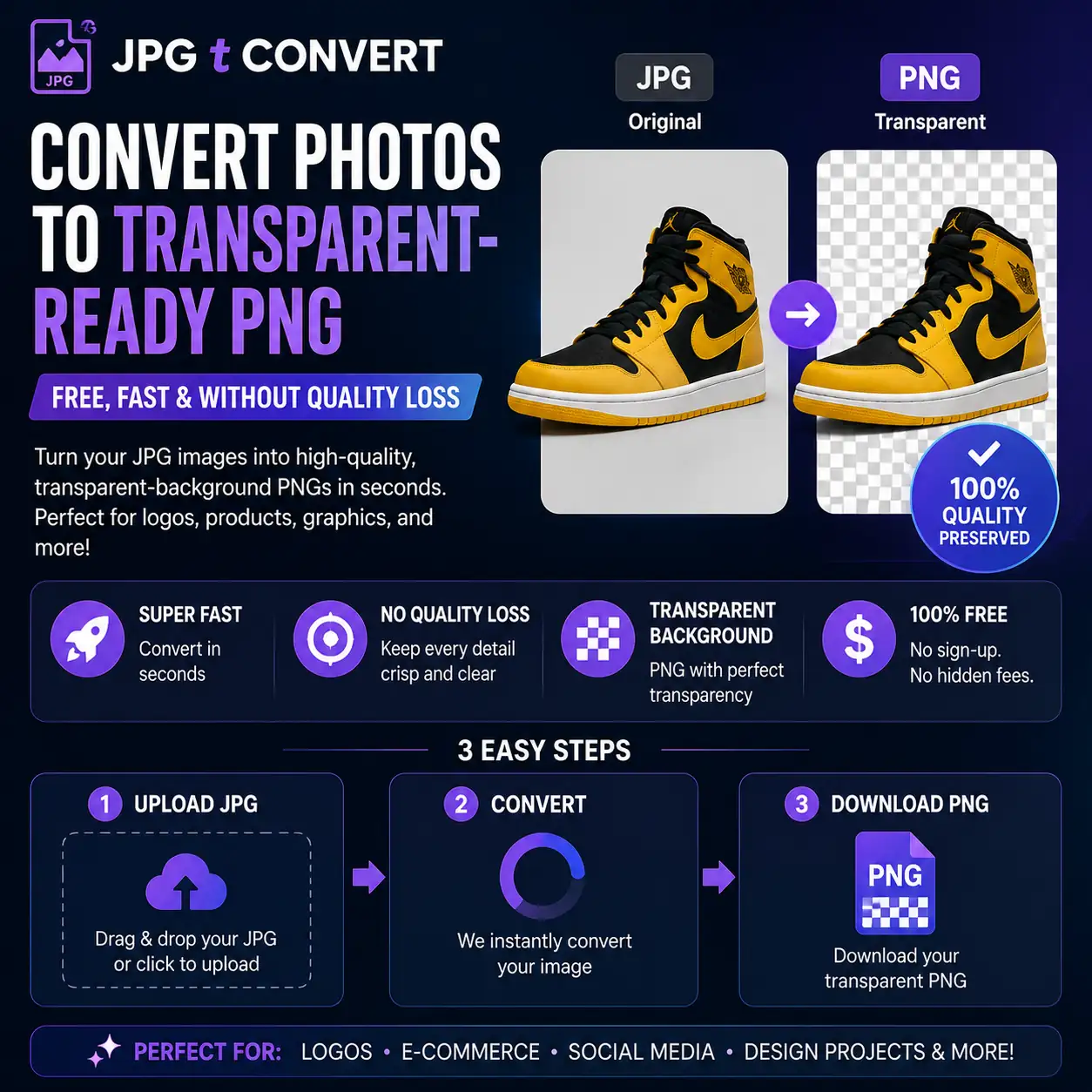
JPG tConvert Photos to Transparent-Ready PNG Free, Fast & Without Quality Loss
Have you ever needed to use a photo or image in a project only to discover the file format was wrong? Whether you are designing a website, building a presentation, preparing a portfolio, or submitting work to a print service, the difference between a JPG and a PNG can make or break your output.
Converting JPG to PNG is one of the most common image tasks on the internet — and for very good reason. PNG offers lossless compression, sharper edges, and support for transparent backgrounds, making it the format of choice for designers, developers, and anyone who needs their images to look perfect across every platform.
In this complete guide, we will cover everything you need to know about converting JPG to PNG, why it matters, when to choose PNG over JPG, and how FlipFileZone makes the entire conversion process instant, free, and effortless.
⚡ Quick Answer
— To convert JPG to PNG free, visit flipfilezone.com → Upload your .jpg or .jpeg file → Click Convert → Download your lossless, high-quality PNG. No sign-up. No watermarks. 100% free.
To convert JPG to PNG free, visit flipfilezone.com → Upload your .jpg or .jpeg file → Click Convert → Download your lossless, high-quality PNG. No sign-up. No watermarks. 100% free.
JPG Files vs. PNG Files — What Actually Changes When You Convert?
When you convert JPG to PNG, you are changing the image format from a lossy-compressed file to a lossless one. JPEG (commonly saved as .jpg or .jpeg) was designed for photographs and achieves small file sizes by discarding fine detail the human eye is unlikely to notice. PNG, by contrast, compresses images without losing a single pixel of data.
A JPG to PNG converter takes your existing JPEG image and re-encodes it using PNG's lossless algorithm. This means:
• No further quality loss after conversion — PNG is lossless from this point forward
• Larger file size — PNG preserves every detail, so files are typically 2–5x larger than their JPG counterparts
• Sharper edges on text, logos, and graphics — PNG handles hard edges far better than JPG
• Transparency support — PNG supports an alpha channel (transparent pixels); JPG does not
Key insight: Converting JPG to PNG cannot recover quality that JPEG compression has already discarded — but it stops any further degradation and unlocks all of PNG's advantages from that point forward.
Top Reasons Professionals Choose PNG Over JPG
Here are the most common reasons designers, developers, and businesses need to convert JPG to PNG format:
• Designing logos, icons, or graphics that need transparent backgrounds
• Exporting assets for web, apps, or UI kits where pixel-perfect edges are essential
• Preparing screenshots, infographics, or diagrams where text sharpness matters
• Editing images multiple times without accumulating JPEG compression artefacts
• Submitting images to print services that require lossless formats
• Creating overlay graphics that sit on top of different coloured backgrounds
• Preserving original quality for archiving or professional photography workflows
In all of these scenarios, a reliable JPG to PNG converter is not just useful — it is the right tool for the job.
Convert Any JPG to PNG in Under 60 Seconds — Here's How
FlipFileZone offers one of the fastest and most accurate online tools to convert JPG to PNG free. Here's exactly how to use it:
Step 1: Head to the FlipFileZone JPG to PNG Tool
Go to flipfilezone.com and open the converter directly. No account creation, no software download, and no hidden fees required. The tool works on any browser, on any device.
Step 2: Drop In Your JPG File
Click the "Upload" button and select your .jpg or .jpeg file from your device. You can also drag and drop the image directly onto the tool. FlipFileZone handles everything from small thumbnails to large high-resolution photographs.
Step 3: Hit Convert and Let FlipFileZone Do the Work
Click "Convert to PNG." FlipFileZone's conversion engine re-encodes your image using lossless PNG compression in just seconds — no quality trade-offs, no visual degradation.
Step 4: Download Your Finished PNG
Once the conversion is complete, click "Download" to save your PNG file. Your image is now a lossless, transparency-ready PNG — perfect for design work, web use, or archiving.
✅ Pro Tip
— For the cleanest PNG output when you convert JPG to PNG, start with the highest-resolution JPG you have. Upscaling a small JPG will not recover lost detail — PNG is lossless from conversion onwards, but the source quality still matters.
For the cleanest PNG output when you convert JPG to PNG, start with the highest-resolution JPG you have. Upscaling a small JPG will not recover lost detail — PNG is lossless from conversion onwards, but the source quality still matters.
Will Your Image Quality, Colours & Sharpness Survive the Conversion? Yes — Here's Why
The most common concern when converting JPG to PNG is whether the image will look different after conversion — and it is a completely valid question. FlipFileZone's converter is built to preserve every visual element of your original JPEG:
• Full colour depth — all colours from your JPG are retained exactly in the PNG
• Original resolution — image dimensions stay identical; no upscaling or downscaling
• No additional compression artefacts — the converter does not re-apply JPEG compression
• Preserved metadata — EXIF data such as camera settings and GPS information is retained
• Sharp text and hard edges — PNG renders these far more cleanly than JPG
• Support for up to 16 million colours — PNG's 24-bit colour depth matches JPG's range
The result is a PNG that faithfully represents your original JPG — with the added benefits of lossless compression and transparency support going forward.
Need to Go the Other Direction? FlipFileZone Converts PNG to JPG Too
Need to reduce file size for web upload or email? FlipFileZone also makes it easy to convert PNG to JPG in just a few clicks. Here's how:
• Visit FlipFileZone.com and select the PNG to JPG converter
• Upload your PNG file
• Click "Convert to JPG"
• Download your compressed, web-ready JPEG file
Using a PNG to JPG converter is especially useful when file size is the priority — for social media uploads, email attachments, or web performance optimisation where lossless quality is not required.
Before You Convert — 7 Things That Make Your PNG Look Flawless
• Start with the highest-quality JPG available. Compression artefacts in the source file will be preserved in the PNG — the converter cannot improve upon what is already there.
• Avoid re-saving JPGs multiple times before converting. Each JPEG save compounds quality loss. Convert once from the original.
• Do not expect transparency automatically. JPG has no alpha channel — the background will remain opaque after conversion. Use a separate background remover if you need transparency.
• Check the PNG file size before distributing. PNG files are significantly larger than JPGs. For web use, consider whether lossless quality or smaller file size is the higher priority for that specific image.
• Use PNG for graphics, not photographs shared on social media. Social platforms re-compress uploaded images anyway — JPG typically works better for social photo sharing.
• Review the converted PNG on different screens. Open the file on a retina display and a standard monitor to confirm the colours and sharpness look as expected.
• Always use a secure tool. FlipFileZone auto-deletes your uploaded files after conversion to protect your privacy.
Who Actually Uses JPG to PNG Conversion — and Why It Matters to Them
Graphic Designers & Brand Creators
Convert product photos, photography assets, and reference images from JPG to PNG when preparing artwork that requires layering on different backgrounds. PNG's alpha channel support is non-negotiable for professional design workflows.
Web Developers & UX Engineers
Convert icons, button assets, illustrations, and UI graphics from JPG to PNG for web and app projects. PNG renders text overlays and hard edges with pixel-perfect precision — critical for high-DPI (retina) displays.
Content Creators & YouTubers
Convert thumbnail backgrounds, channel art, and overlay graphics from JPG to PNG before importing into editing tools like Canva, Adobe Express, or DaVinci Resolve. PNG assets layer cleanly without fringing or halo artefacts.
Photographers & Digital Artists
Convert JPEG photographs to PNG for archival purposes or when preparing images for further editing. Working in PNG eliminates the risk of accumulating JPEG compression damage across multiple edit-and-save cycles.
E-commerce Sellers & Product Marketers
Convert product photos from JPG to PNG when your platform or marketplace requires images with white or transparent backgrounds. PNG format is the industry standard for product listings on platforms requiring background removal.
Got Questions About JPG to PNG? We Have Answers
| Is FlipFileZone's JPG to PNG converter really free?Yes! FlipFileZone lets you convert JPG to PNG free — no hidden charges, no subscriptions, and no watermarks on your converted file. |
| Does converting JPG to PNG improve image quality?No converter can recover data that JPEG compression already discarded. However, once converted to PNG, your image will not lose any further quality — PNG is lossless, meaning every subsequent save is perfect. |
| Will the PNG file have a transparent background?Not automatically. JPG files do not store transparency information. The converted PNG will have the same opaque background as the original. To add transparency, use a background-removal tool after converting. |
| Why is my PNG file larger than the original JPG?This is completely normal. JPG uses lossy compression to shrink files. PNG uses lossless compression, which preserves every pixel precisely — resulting in larger files with no quality trade-off. |
| Can I convert multiple JPG files to PNG at once?Yes. FlipFileZone supports batch conversion, allowing you to convert multiple JPG images to PNG in a single session — saving you significant time. |
| Is PNG always better than JPG?It depends on the use case. PNG is better for graphics, logos, screenshots, and any image where sharpness or transparency matters. JPG is better for photographs shared online where smaller file size is the priority. |
| Is it safe to upload my images to FlipFileZone?Absolutely. FlipFileZone uses secure HTTPS connections and automatically deletes your uploaded files after conversion to fully protect your privacy. |
| What is the difference between JPG and PNG?JPG (JPEG) uses lossy compression — great for photos but each save discards some detail. PNG uses lossless compression — ideal for graphics, logos, and images that need precise edges or transparency support. |
Stop Worrying About Image Formats — Just Convert and Create
Whether you need to convert JPG to PNG for a design project, a web build, an e-commerce listing, or a professional archive, FlipFileZone offers the fastest, most reliable, and completely free solution available online.
With no sign-up required, no watermarks, and lossless conversion technology, FlipFileZone stands out as the go-to JPG to PNG converter for designers, developers, and businesses alike.
And when you need to reduce file size for web use, FlipFileZone also lets you convert PNG to JPG in seconds — giving you complete format flexibility for every image project.
Ready to Convert? Try FlipFileZone Now!
— Visit flipfilezone.com and convert your JPG files to PNG free — no account needed, no software to install. Fast, secure, and lossless every time.
tagTags
shareShare this post
recommendYou may also like
TECH GUIDESConvert XLS to XLSX Online Free — Upgrade Old Excel Files in SecondsFlipFileZone · Read Fullopen_in_new TECH GUIDESConvert PNG to ICO Online Free — Create Favicons and Windows Icons in SecondsFlipFileZone · Read Fullopen_in_new
 TECH GUIDESConvert Markdown to PDF Online Free — Turn .md Files Into PDF in SecondsFlipFileZone · Read Fullopen_in_new
 TECH GUIDESConvert SVG to PNG Online Free — Export Vector Graphics as Images in SecondsFlipFileZone · Read Fullopen_in_new
 TECH GUIDESConvert GIF to MP4 Online Free — Turn Animated GIFs Into Video in SecondsFlipFileZone · Read Fullopen_in_new
 TECH GUIDESConvert WAV to MP3 Online Free — Compress Audio Files in SecondsFlipFileZone · Read Fullopen_in_new
 TECH GUIDESConvert MOV to MP4 Online Free — Convert iPhone Videos in SecondsFlipFileZone · Read Fullopen_in_new
chatPost a comment
Comments
0