 TECH GUIDESConvert XLS to XLSX Online Free — Upgrade Old Excel Files in SecondsFlipFileZone · Read Fullopen_in_new
What Skills Should React and Next.js Developers Learn to Stay Relevant in the AI Era?
AI generates React code fast, but architecture, performance debugging, Server Components mastery, AI-product integration, agent collaboration, and business judgment remain distinctly human—these are what separate valuable developers from commodity code output.
FlipFileZone · TECH GUIDES
shareShare this post






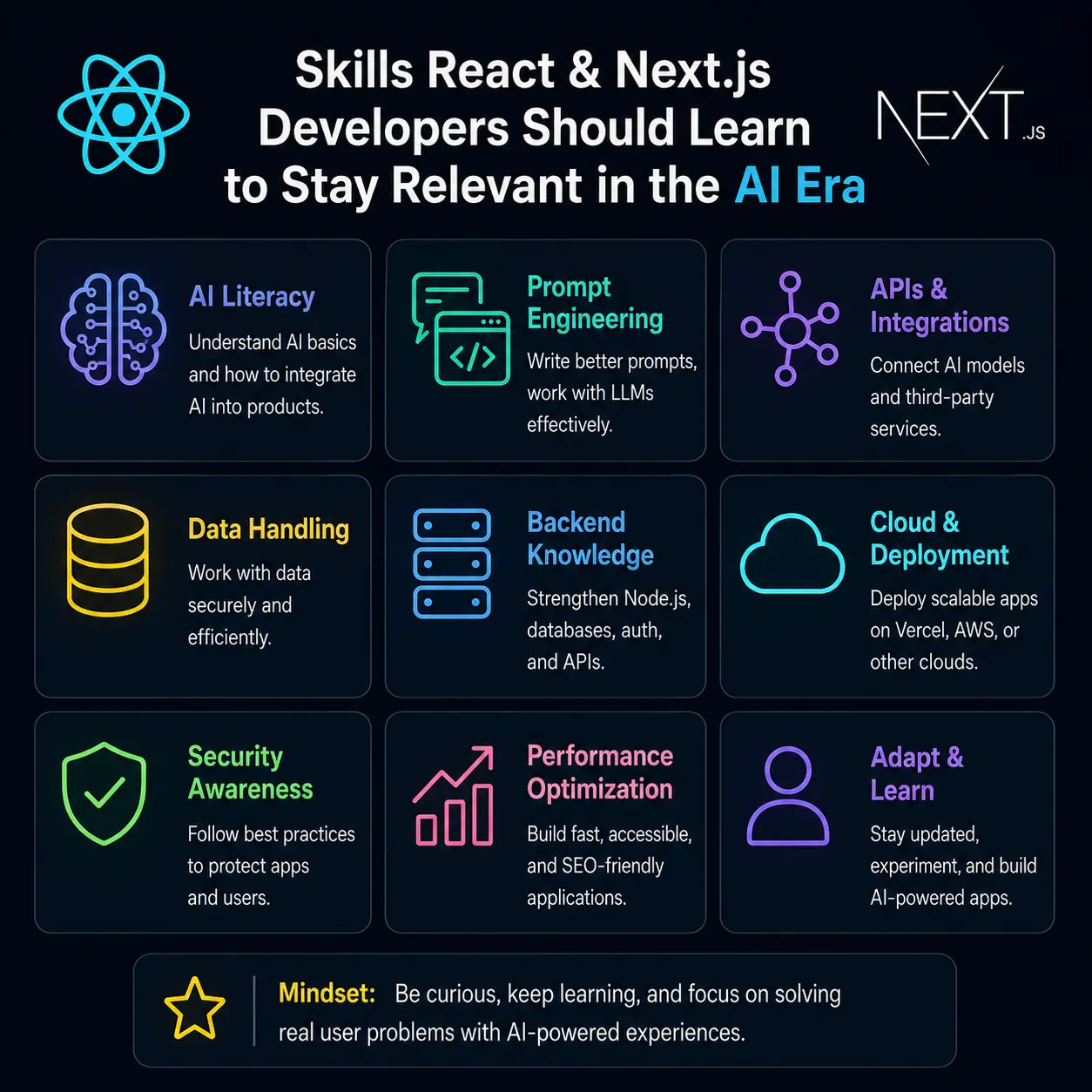
A few years ago, the core competitive skill for a React or Next.js developer was straightforward: know the component model, understand hooks, be comfortable with state management, and be able to ship a performant, accessible interface. That foundation still matters, but it is no longer sufficient on its own. AI coding tools like GitHub Copilot, Cursor, v0.dev, and Claude can now generate a working React component, scaffold an entire Next.js route, or wire up basic state management faster than most developers can type it by hand. This has not made React or Next.js developers obsolete — if anything, demand for these skills remains strong, with one industry analysis citing roughly 112,000 React job postings in India alone in 2025, a 29 percent year-over-year increase according to a 2026 industry report on the React job market — but it has fundamentally shifted which skills actually differentiate a valuable developer from one whose output an AI model can replicate in seconds. This article walks through the specific skills that matter most going forward, organized around what AI tools are currently good at, what they consistently struggle with, and where the profession is visibly headed based on how the ecosystem itself — React, Next.js, and the tooling built around them — is evolving.
Why "Knowing React" Alone No Longer Differentiates You
It's worth being direct about the uncomfortable part of this shift before getting into solutions. Generating a syntactically correct React component from a natural-language description is now a solved, commodity capability — AI demo videos routinely show entire Next.js applications being generated directly from Figma designs. What these tools still struggle with, based on extensive practitioner reporting from working developers, is the layer above raw code generation: architecting a scalable application, managing complex state correctly across edge cases like timezones, offline behavior, and race conditions, translating ambiguous business requirements into the right technical structure, and making the long list of judgment calls that determine whether a codebase is maintainable six months later React developers who treat AI as a productivity multiplier rather than a replacement are reportedly shipping work two to three times faster, while junior developers face more market saturation. The skills below are organized specifically around this gap — the things AI generation tools are weakest at, and which therefore remain the most valuable things for a human developer to master.
1. Deep React Fundamentals, Not Just Surface Syntax
AI-generated React code frequently looks correct at a glance while containing subtle bugs around rendering behavior — unnecessary re-renders, stale closures inside useEffect, or state updates that don't compose correctly with React's batching behavior. Catching these issues requires actually understanding React's underlying model, not just its syntax.
javascript
// Looks reasonable, but creates a new function on every render,
// causing any memoized child component receiving onSave as a prop
// to re-render unnecessarily every time.
function Form({ data }) {
  const onSave = () => save(data);
  return <Child onSave={onSave} />;
}

// A developer who understands React's reconciliation model knows
// to stabilize this reference when it matters for performance.
function Form({ data }) {
  const onSave = useCallback(() => save(data), [data]);
  return <Child onSave={onSave} />;
}
A 2026 industry analysis specifically lists custom hook architecture, performance optimization through memoization, and error boundary patterns among the React skills that AI tools currently struggle to get right without careful human review because these areas require reasoning about render cascades and edge cases that go beyond pattern-matching against training data. Investing time in genuinely understanding the render cycle, the rules of hooks, and why certain patterns cause performance regressions remains one of the highest-leverage skills a React developer can build, precisely because it's where AI-generated code is most likely to be subtly wrong.
2. React Server Components and the Next.js App Router Architecture
The single biggest structural shift in the React ecosystem in recent years has been the move toward React Server Components (RSC) as the default rendering model in Next.js, rather than an opt-in experiment. As of recent releases, Server Components are the default in the App Router, meaning developers need a working mental model of which parts of an application execute on the server, which execute on the client, and how data flows across that boundary React 19 and Next.js 15 have settled Server Components as the default architecture rather than an experimental feature.
javascript
// app/products/page.jsx — a Server Component by default in the
// Next.js App Router: runs only on the server, can query a
// database directly, and never ships its own JS bundle to the client.
async function ProductsPage() {
  const products = await db.query("SELECT * FROM products");
  return (
    <div>
      {products.map((p) => (
        <ProductCard key={p.id} product={p} />
      ))}
    </div>
  );
}
Despite this architectural shift being central to the framework's direction, real-world adoption still lags — one 2025 survey found that only around 29 percent of developers had actually used Server Components in production, despite broadly positive sentiment toward the model according to a developer survey cited in a 2026 Next.js analysis. This adoption gap is itself an opportunity: developers who genuinely understand when to reach for a Server Component versus a Client Component, how streaming and Suspense boundaries interact with data fetching, and how newer features like Partial Prerendering (PPR) — which combines a static, instantly loading shell with dynamically streamed content on the same page — actually work under the hood are positioned well ahead of developers who are still treating Next.js as if it were a purely client-rendered single-page application framework.
3. Building AI-Powered Features Yourself, Not Just Using AI to Code
One of the clearest signals about where frontend work is heading is that "AI-powered" is no longer a special, bolted-on feature category — it is becoming a default expectation woven into ordinary product surfaces, from inline AI-assisted form filling to streaming chat interfaces to AI-generated content blocks. The tooling supporting this is increasingly React- and Next.js-native rather than a separate backend concern. The Vercel AI SDK, an open-source TypeScript toolkit now seeing over 20 million monthly downloads, has become a standard way to add streaming text generation, structured object generation, and tool-calling agents directly into React and Next.js applications with adoption ranging from startups to Fortune 500 companies building everything from chatbots to complex background agents.
javascript
"use client";
import { useChat } from "ai/react";

export default function Chat() {
  const { messages, input, handleInputChange, handleSubmit } = useChat();
  return (
    <form onSubmit={handleSubmit}>
      {messages.map((m) => (
        <div key={m.id}>{m.role}: {m.content}</div>
      ))}
      <input value={input} onChange={handleInputChange} />
    </form>
  );
}
Knowing how to wire up streaming responses, handle partial/incomplete JSON during generation, design good loading and error states for non-deterministic AI output, and integrate external tools or data sources through the Model Context Protocol (MCP) — an open standard for connecting applications to external tools that the AI SDK now supports comprehensively, including authentication, resources, and prompt templates as of its most recent major version — is rapidly becoming as foundational a skill as REST API integration was a decade ago. A React or Next.js developer who can confidently build the product layer around an LLM, not just call an API once and print the result, is solving a meaningfully different and more valuable problem than one who only knows how to consume a static JSON endpoint.
4. Working Effectively With AI Coding Agents
A related but distinct skill is becoming proficient at directing AI coding agents rather than simply accepting their first output. This goes beyond writing a good one-off prompt; it increasingly means structuring a codebase so that AI agents — whether an IDE-integrated tool like Cursor or an autonomous agent operating across a whole repository — can work within it reliably. A notable emerging convention is the AGENTS.md file, a project-level document that encodes architectural constraints and conventions an AI agent should always respect, paired with more narrowly scoped, reusable "skills" that package up specific, multi-step expertise (for example, a documented procedure for diagnosing React performance regressions, prioritized in a specific order: data-fetching waterfalls first, then bundle size, then serialization overhead, then re-render cost) an approach Vercel's own tooling has formalized as versioned, packaged expertise rather than ad hoc prompting.
Practically, this means a forward-looking React developer should get comfortable with tasks like: writing clear, falsifiable specifications before asking an agent to implement a feature (the kind of "translate business requirements into technical architecture" exercise increasingly cited as a core interview and on-the-job skill); reviewing AI-generated diffs with the same rigor as a human pull request, specifically watching for the performance and correctness pitfalls described in the sections above; and maintaining the kind of clean, well-documented, conventionally structured codebase that makes AI-assisted contributions more reliable in the first place, since agents — much like new human team members — perform better in codebases with consistent patterns and clear documentation than in inconsistent, undocumented ones.
5. State Management and Data-Fetching Architecture
As applications grow beyond a handful of components, the decisions around how state is structured, cached, and synchronized with the server become disproportionately important, and these are exactly the kinds of decisions that require holistic, whole-system judgment rather than local, line-by-line code generation. Modern React applications increasingly separate two distinct categories of state that used to be lumped together: genuine client-side UI state, often managed with a lightweight library like Zustand, and server state — data that originates from and needs to stay synchronized with a backend — typically managed with a dedicated caching library like TanStack Query (React Query). Industry commentary specifically calls out this combination, alongside performance optimization and handling tricky edge cases like timezones and offline behavior, as one of the patterns AI-assisted code generation tools still struggle to get right without careful architectural guidance from an experienced developer because these patterns require reasoning about caching, synchronization, and edge-case handling across an entire application rather than a single file.
javascript
// Server state: cached, revalidated, and synchronized automatically
function useProducts() {
  return useQuery({
    queryKey: ["products"],
    queryFn: () => fetch("/api/products").then((r) => r.json()),
    staleTime: 60_000,
  });
}
Understanding when data belongs in server-side cache versus client-side state, how to avoid redundant network requests, and how to design a data-fetching layer that gracefully handles loading, error, and stale states across an entire application is exactly the kind of cross-cutting architectural skill that remains squarely in human territory.
6. Performance Engineering and Core Web Vitals
Performance work has always mattered for React applications, but it has become an even sharper differentiator now that a large share of routine component code can be generated automatically — the remaining bottleneck on user experience is increasingly architectural and performance-related rather than purely about whether features exist. A useful, increasingly standardized framework for thinking about React performance prioritizes issues roughly in this order: asynchronous data-fetching waterfalls (sequential requests that should be parallelized), JavaScript bundle size (unnecessary code shipped to the client), serialization overhead (the cost of passing data across the server/client boundary in Server Components), and finally unnecessary re-render cost a prioritization that reportedly maps directly to real-world impact on Core Web Vitals metrics.
Practically useful skills here include profiling with the React DevTools Profiler and browser performance tools, understanding code-splitting and lazy loading, knowing when Suspense boundaries help versus hurt perceived performance, and being comfortable reading a Lighthouse report and knowing exactly which architectural change addresses which metric. Next.js's built-in optimizations (automatic image optimization, font optimization, code splitting) handle much of the easy, mechanical performance work automatically, which means the differentiated human skill shifts toward the harder, architecture-level performance decisions these automatic optimizations can't make for you.
7. TypeScript Fluency, Especially for Reviewing AI-Generated Code
TypeScript has effectively become a default expectation rather than an optional add-on in serious React and Next.js codebases, and its importance arguably increases, rather than decreases, in an AI-assisted workflow. A strong type system acts as an automated, always-on reviewer that catches a meaningful class of mistakes an AI coding assistant might otherwise introduce silently — mismatched prop shapes, incorrect assumptions about API response structures, or null/undefined values that aren't handled. Developers who can write expressive, precise TypeScript types (discriminated unions for modeling state machines, properly typed API boundaries, generics for reusable hooks) are effectively building guardrails that make AI-assisted development safer and faster rather than riskier, since type errors surface immediately rather than manifesting as runtime bugs discovered by users.
typescript
type RequestState<T> =
  | { status: "idle" }
  | { status: "loading" }
  | { status: "success"; data: T }
  | { status: "error"; error: string };
This kind of precise, discriminated-union modeling forces both human developers and AI-generated code to handle every state explicitly, which is exactly the kind of edge-case discipline that loosely typed code tends to silently skip.
8. Testing Strategy and Critical Code Review
As the speed of code generation increases, the bottleneck in software delivery shifts measurably toward verification: knowing whether the generated code is actually correct, rather than just whether it compiles and looks plausible. This makes testing strategy — knowing what to test, at what level (unit, integration, end-to-end), and how to write tests that catch real regressions without becoming brittle — a more valuable skill than it might have seemed a few years ago, when "just ship it and see" was a more common (if not necessarily advisable) habit among individual contributors. Testing strategy is explicitly called out in current industry guidance as one of the patterns AI tools handle less reliably than experienced developers, alongside error boundary design and the broader discipline of validating that generated code actually matches the original business requirement rather than a plausible-sounding misreading of it.
9. Full-Stack and Backend Literacy
Next.js has steadily blurred the line between frontend and backend development. Server Actions, Route Handlers, Middleware, and Edge Functions all mean that a "frontend" developer working in Next.js is, in practice, regularly writing server-side code — database queries, authentication checks, and API design — directly alongside UI components. This trend makes backend literacy a practical necessity rather than a nice-to-have: understanding how to design a clean API contract, how authentication and session management work, basic database schema design, and how to reason about caching at the edge versus the origin server. A developer who can comfortably move across this entire stack, rather than stopping at the boundary of the component tree, is positioned to own complete features end to end — exactly the kind of broader ownership that becomes more valuable as routine, narrowly scoped component work becomes easier to automate.
10. Accessibility, UX Judgment, and Business Context
AI code generation tools are reliably good at producing visually plausible interfaces quickly, but they are far less reliable at producing genuinely accessible interfaces (correct ARIA usage, keyboard navigation, screen-reader compatibility) or interfaces that reflect a deep understanding of the actual user and business problem being solved, rather than a generic, statistically average interpretation of the prompt. Translating an ambiguous business requirement — "make checkout feel trustworthy and fast," for instance — into specific, well-reasoned UX and architectural decisions requires the kind of contextual judgment, user empathy, and product sense that remains stubbornly human. Building a portfolio that demonstrates this kind of judgment explicitly — for example, a project showcasing not just a finished feature but the reasoning behind specific architecture and UX decisions — is increasingly cited as a more effective way to stand out than simply demonstrating the ability to produce working code, since the latter is no longer a scarce signal on its own.
11. Security Awareness in AI-Integrated Applications
Adding AI features to a React or Next.js application introduces a genuinely new category of security consideration that didn't exist in purely traditional CRUD applications: prompt injection (where untrusted user input manipulates an AI agent's behavior), the risk of exposing API keys or sensitive credentials when calling AI providers directly from client-side code instead of through a secured server route, and the need to carefully scope what tools or data an AI agent is allowed to access, particularly when using MCP servers that can grant an AI model the ability to take real actions (sending messages, modifying files, querying production data) rather than just generating text. Developers integrating AI SDKs into Next.js applications need to internalize the same discipline that has always applied to handling secrets and trust boundaries on the server, now extended to a new layer: treating AI-generated tool calls and AI-produced output with the same skepticism traditionally reserved for raw, untrusted user input, since both can, in different ways, behave unpredictably.
Putting It Together: From Code Writer to System Architect and AI Director
The throughline across all eleven skills above is a consistent shift in what "being a React or Next.js developer" actually means. The narrowest version of the job — translating a clear specification into working component code — is the part of the role AI tools have made fastest and cheapest, and it is consequently the part of the role that differentiates developers least. What remains scarce, and what the evidence from current industry analysis and tooling development consistently points toward, is the broader set of skills surrounding that core: architecting systems that scale and stay maintainable, deeply understanding the rendering and performance model well enough to catch what AI-generated code gets subtly wrong, building the AI-powered product layer itself rather than just using AI as a typing accelerator, directing and reviewing AI agents with the same rigor applied to a human collaborator, and bringing the accessibility, UX, and business judgment that statistical pattern-matching tools still lack.
None of this means the fundamentals stop mattering — quite the opposite. A developer who deeply understands React's rendering model, Next.js's server/client architecture, and solid TypeScript and testing practices is far better equipped to catch the mistakes AI tools make and to direct them effectively, compared to someone who never built that foundation and is relying on AI output they can't critically evaluate. The honest, evidence-based prediction for where this is heading is not that React and Next.js developers become unnecessary, but that the bar for what counts as a genuinely valuable one rises, shifting decisively from "can write the code" toward "can architect the system, direct the tools, and judge whether the output is actually right."
Further Reading
shareShare this post
recommendYou may also like
TECH GUIDESConvert XLS to XLSX Online Free — Upgrade Old Excel Files in SecondsFlipFileZone · Read Fullopen_in_new TECH GUIDESConvert PNG to ICO Online Free — Create Favicons and Windows Icons in SecondsFlipFileZone · Read Fullopen_in_new
 TECH GUIDESConvert Markdown to PDF Online Free — Turn .md Files Into PDF in SecondsFlipFileZone · Read Fullopen_in_new
 TECH GUIDESConvert SVG to PNG Online Free — Export Vector Graphics as Images in SecondsFlipFileZone · Read Fullopen_in_new
 TECH GUIDESConvert GIF to MP4 Online Free — Turn Animated GIFs Into Video in SecondsFlipFileZone · Read Fullopen_in_new
 TECH GUIDESConvert WAV to MP3 Online Free — Compress Audio Files in SecondsFlipFileZone · Read Fullopen_in_new
 TECH GUIDESConvert MOV to MP4 Online Free — Convert iPhone Videos in SecondsFlipFileZone · Read Fullopen_in_new
chatPost a comment
Comments
0