 TECH GUIDESConvert XLS to XLSX Online Free — Upgrade Old Excel Files in SecondsFlipFileZone · Read Fullopen_in_new
How to Download TikTok, YouTube & Instagram Videos Free
Download videos from YouTube, TikTok, Instagram and 1000+ sites free with FlipFileZone — no watermark, no signup, MP3 audio option.
FlipFileZone · TECH GUIDES
shareShare this post


How to Download TikTok, YouTube & Instagram Videos Free
By the FlipFileZone Team · 12 min read
You find the perfect video — a recipe on TikTok, a tutorial on YouTube, a Reel someone sent you on Instagram — and you want to keep it. Maybe your connection won't always be reliable, maybe the creator might take it down later, or maybe you just want it saved to show someone in person without hunting for the link again. Whatever the reason, the platform's own app almost never gives you a straightforward way to save the actual video file to your device.
That's not an accident — most social platforms deliberately don't offer a native download button, since they want you watching inside their app, not saving content and leaving. A free online video downloader fills that gap: paste a link, get the file, no app install, no browser extension, no account.
This guide covers exactly how to download videos from YouTube, TikTok, Instagram, and dozens of other platforms for free using flipfilezone.com/download, plus what to know about quality options, watermarks, and extracting just the audio.
⚡ Quick Answer
— Go to flipfilezone.com/download, paste the video link, choose your quality (or MP3 for audio only), and download. Works with YouTube, TikTok, Instagram, Twitter/X, Facebook, Reddit, Vimeo, Dailymotion, and over 1,000 other sites — free, no signup.
Go to flipfilezone.com/download, paste the video link, choose your quality (or MP3 for audio only), and download. Works with YouTube, TikTok, Instagram, Twitter/X, Facebook, Reddit, Vimeo, Dailymotion, and over 1,000 other sites — free, no signup.
Why Platforms Don't Let You Download Videos Directly — And How a Downloader Works Around It
When you watch a video on YouTube, TikTok, or Instagram, your browser or app is already downloading the video data — it's just streaming it into a temporary buffer and playing it back rather than saving a file you can keep. Platforms intentionally don't expose a "save" button for that buffered data, both to keep you inside their app (and their ad revenue) and, in some cases, to protect creators from unauthorized redistribution.
An online video downloader works by fetching the same video stream the platform's player would normally load, but instead of just playing it back, it packages that stream into a standard downloadable file — typically MP4 for video or MP3 if you only want the audio track. You paste the public video URL, the tool identifies the source platform and available quality options, and hands you back a real file saved to your device.
Quality options depend entirely on what the original platform makes available. YouTube videos, for example, are usually encoded at several resolutions (360p, 720p, 1080p, and sometimes 4K), and a good downloader lets you pick which one you want rather than forcing the lowest available quality.
There's an important distinction between how different platforms structure their video data that affects how downloading actually works behind the scenes. Some platforms serve video and audio as a single combined stream, which is straightforward to capture as-is. Others — YouTube in particular, for higher resolutions — serve video and audio as separate streams that get combined by the player in your browser, meaning a downloader has to fetch both streams independently and merge them back together into one file. This is part of why higher-quality downloads can occasionally take a few seconds longer to process than a quick, low-resolution grab.
Top Reasons People Download Videos
- Saving content for offline viewing when travel or unreliable internet makes streaming impractical
- Archiving your own uploaded content or content you have permission to keep, as a backup outside the platform
- Sharing a specific clip with someone who doesn't use that platform or doesn't have an account
- Pulling just the audio from a video — a podcast clip, a music video, a lecture — without the visual file size
- Using a short clip in a presentation, video project, or educational material where an embedded player isn't practical
- Preserving content that might be deleted, region-locked, or otherwise become unavailable later
- Removing platform watermarks (like TikTok's) when repurposing your own content for other channels
Download a Video in Under 60 Seconds — Here's How
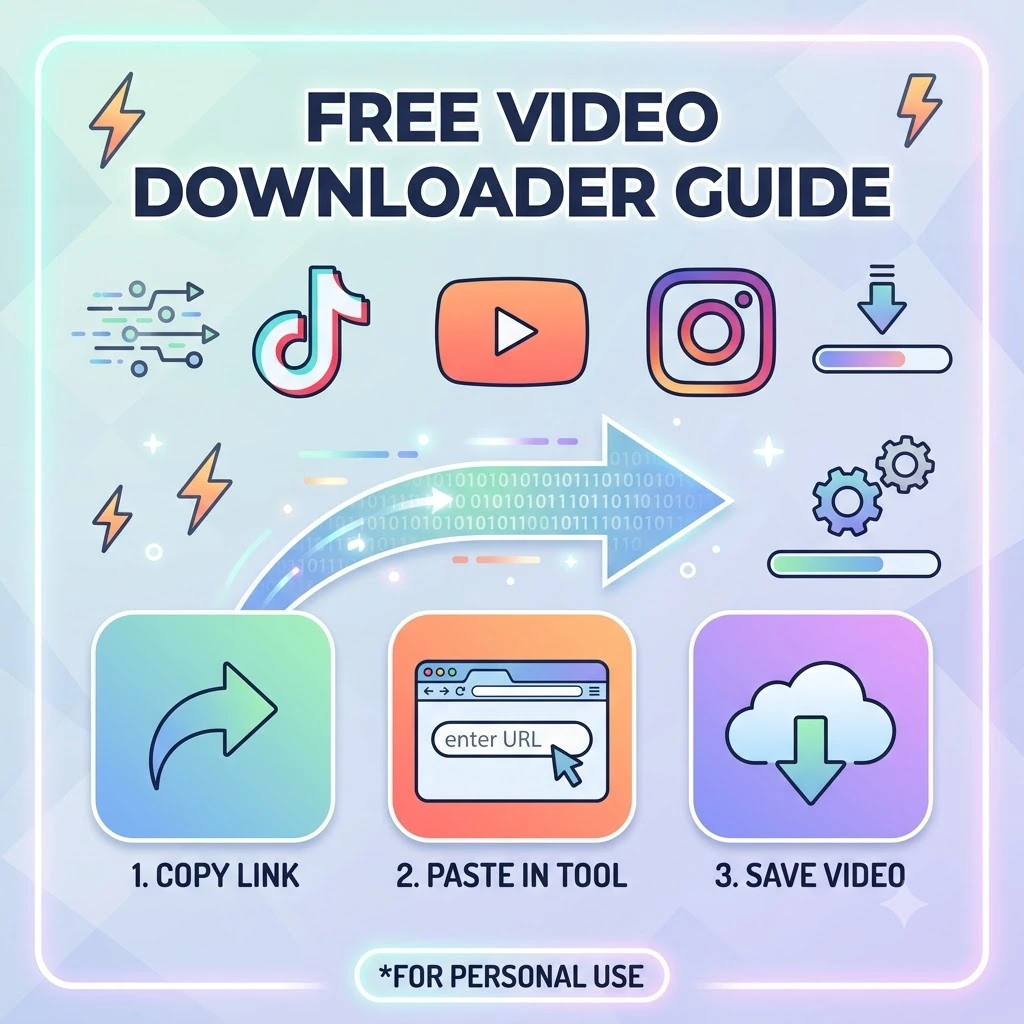
Step 1: Copy the video link
Go to YouTube, TikTok, Instagram, or any supported platform, open the video, and copy the link from the address bar or the app's share menu.
Step 2: Paste it into FlipFileZone
Open flipfilezone.com/download and paste the link into the input field.
Step 3: Choose your format and quality
Select your preferred video quality (up to 1080p or 4K where the source supports it), or choose MP3 if you only want the audio.
Step 4: Download your file
Click download and save the file directly to your device. No account, no software install, no watermark on TikTok downloads.
✅ Pro Tip
— Only download content you have the right to save — your own uploads, content shared directly with you for that purpose, or material that's explicitly free to download. Respecting creators' rights and each platform's terms of service matters, even when the technical option to download exists.
Only download content you have the right to save — your own uploads, content shared directly with you for that purpose, or material that's explicitly free to download. Respecting creators' rights and each platform's terms of service matters, even when the technical option to download exists.
The whole process runs on FlipFileZone's servers rather than through a browser extension or installed app, which matters for two reasons: nothing gets permanently added to your browser that could track your activity elsewhere, and the actual video processing doesn't slow down or drain the battery on your phone or laptop the way a heavier native app sometimes does.
What You Can Expect From the Download
- YouTube videos download in the resolutions the original video was published in, up to 1080p or 4K where available
- TikTok videos download without the TikTok watermark overlay
- Instagram Reels and regular video posts are both supported
- Twitter/X videos and GIFs can be downloaded the same way
- Facebook, Reddit, Vimeo, and Dailymotion videos are all supported alongside YouTube, TikTok, and Instagram
- Audio-only extraction gives you a clean MP3 file without the video track
- Over 1,000 other video platforms beyond the major ones are supported through the same tool
Need to Convert the Downloaded File Afterward? FlipFileZone Handles That Too
Once you've downloaded a video, you might need it in a different format for a specific use case — a short looping clip as a GIF for a website, for instance. FlipFileZone's MP4 to GIF converter handles exactly that, turning a downloaded video clip into a shareable animated GIF in the same free, no-signup way.
This two-step workflow — download, then convert — comes up often enough that it's worth knowing both tools live in the same place. You don't need to bounce between a downloader site and a separate converter site, uploading and re-uploading the same file twice; both steps happen on FlipFileZone without leaving the browser tab.
Before You Download — 5 Things Worth Knowing
- Downloadable quality is limited by what the original platform published — a downloader can't create resolution that was never in the source file
- Private or restricted videos generally can't be downloaded through a link-based tool, since the tool needs public access to the video the same way your browser would
- Very long videos may take a little longer to process than short clips
- If you only need the audio, choosing MP3 directly gives you a much smaller file than downloading the full video and extracting audio separately yourself
- Always respect the source platform's terms of service and the original creator's rights before downloading and reusing content
- Some platforms occasionally update how their video pages are structured, which can briefly affect download support for that specific site until the tool is updated to match — the major platforms are typically restored quickly when this happens
Who Uses a Video Downloader
Students & Academic Submitters
Students saving lecture recordings, tutorial videos, or reference clips for offline study when campus wifi or travel makes streaming unreliable.
Corporate Teams & Client-Facing Professionals
Marketing and training teams archiving their own published social content, or saving reference material for internal presentations and case studies.
Legal, Compliance & HR Departments
Compliance teams occasionally need to archive publicly posted company content or training videos as part of a formal record, independent of whether the platform later removes it.
Freelance Writers, Bloggers & Digital Creators
Content creators downloading their own uploaded videos to repurpose across platforms, or saving reference clips for a piece they're writing about.
Entrepreneurs & Small Business Owners
Small business owners saving their own product demo videos or customer testimonials from social media for use on their website or in offline pitches.
FlipFileZone vs. Other Video Downloaders
| Feature | FlipFileZone | Other Tools |
|---|---|---|
| Free to use | Yes, fully free | Often free with daily limits |
| No account needed | Yes | Many require signup |
| TikTok without watermark | Yes | Varies — some leave the watermark |
| Platforms supported | 1,000+ including YouTube, TikTok, Instagram, X, Facebook, Reddit, Vimeo | Often limited to one or two platforms per tool |
| Audio-only (MP3) extraction | Yes, built in | Sometimes a separate tool required |
| Works on mobile | Yes, fully responsive | Varies by tool |
Got Questions About Video Downloading? We Have Answers
| Is the video downloader free? |
| Yes — FlipFileZone is 100% free with no account required, no credits, and no hidden charges. |
| Which platforms are supported? |
| YouTube, TikTok, Instagram, Twitter/X, Facebook, Reddit, Vimeo, Dailymotion, and over 1,000 other video platforms. |
| Can I download TikTok videos without the watermark? |
| Yes. Videos downloaded through FlipFileZone don't include the TikTok watermark overlay. |
| Can I download YouTube videos in HD? |
| Yes. Available quality depends on the original video, but most YouTube videos can be downloaded in 720p or 1080p, with 4K available where the source supports it. |
| Can I download just the audio as MP3? |
| Yes. Choose the MP3 option instead of a video format to get a clean audio-only file. |
| Is it legal to download videos? |
| The tool itself is legal to use, but what you do with the downloaded content matters — only download and reuse content you have the right to, and always respect the platform's terms of service and the creator's rights. |
| Does this work on mobile? |
| Yes. FlipFileZone runs entirely in your browser on iOS, Android, and desktop — no app required. |
| Are my downloads private? |
| Video links you paste are processed over an encrypted HTTPS connection and not stored after your download completes. |
Social platforms are built to keep you watching inside their app, which is exactly why there's no built-in download button on YouTube, TikTok, or Instagram. A free online downloader closes that gap without requiring an app install, a browser extension, or an account — just a link and a couple of clicks.
FlipFileZone's downloader supports well over a thousand platforms, strips TikTok's watermark automatically, and lets you pull audio-only MP3s when that's all you need. And if you need to turn a downloaded clip into a GIF or a different format afterward, the MP4 to GIF converter is right there too.
Whether you're archiving your own content, saving something for offline viewing, or pulling a clip for a project, downloading a video takes under a minute and costs nothing.
🚀 Ready to Download a Video?
— Try FlipFileZone Now! Visit flipfilezone.com/download and download free — no account needed, no software to install.
Visit flipfilezone.com/download and download free — no account needed, no software to install.
More Free Tools on FlipFileZone
- MP4 to GIF Converter – turn video clips into looping GIF animations
- Compress Files – shrink video, PDFs, images, and audio without losing meaningful quality
- Merge Files – combine video clips, PDFs, images, and audio tracks into one file
- Extract Text (OCR) – pull text out of scanned documents and images
- Resize Images – adjust image dimensions without stretching or distortion
shareShare this post
recommendYou may also like
TECH GUIDESConvert XLS to XLSX Online Free — Upgrade Old Excel Files in SecondsFlipFileZone · Read Fullopen_in_new TECH GUIDESConvert PNG to ICO Online Free — Create Favicons and Windows Icons in SecondsFlipFileZone · Read Fullopen_in_new
 TECH GUIDESConvert Markdown to PDF Online Free — Turn .md Files Into PDF in SecondsFlipFileZone · Read Fullopen_in_new
 TECH GUIDESConvert SVG to PNG Online Free — Export Vector Graphics as Images in SecondsFlipFileZone · Read Fullopen_in_new
 TECH GUIDESConvert GIF to MP4 Online Free — Turn Animated GIFs Into Video in SecondsFlipFileZone · Read Fullopen_in_new
 TECH GUIDESConvert WAV to MP3 Online Free — Compress Audio Files in SecondsFlipFileZone · Read Fullopen_in_new
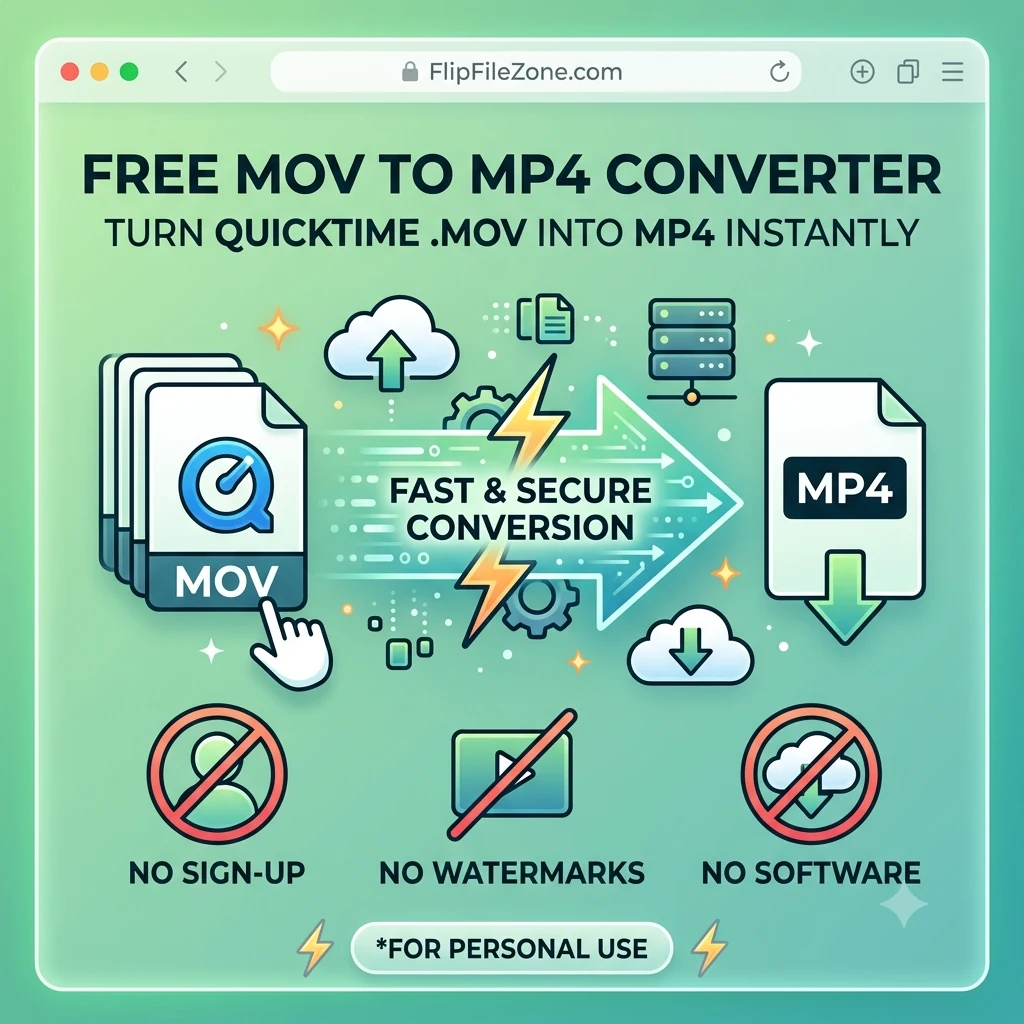 TECH GUIDESConvert MOV to MP4 Online Free — Convert iPhone Videos in SecondsFlipFileZone · Read Fullopen_in_new
chatPost a comment
Comments
0